Step 1: Creating Your Agent
Before configuring an AI agent, it is important to understand how agents are structured in Flametree.
In this guide, we work with an Inbound Text Agent — an agent designed to respond to incoming text messages from users through chat-based communication channels such as web widgets or messaging platforms. For more information about available agent types, see Key Concepts.
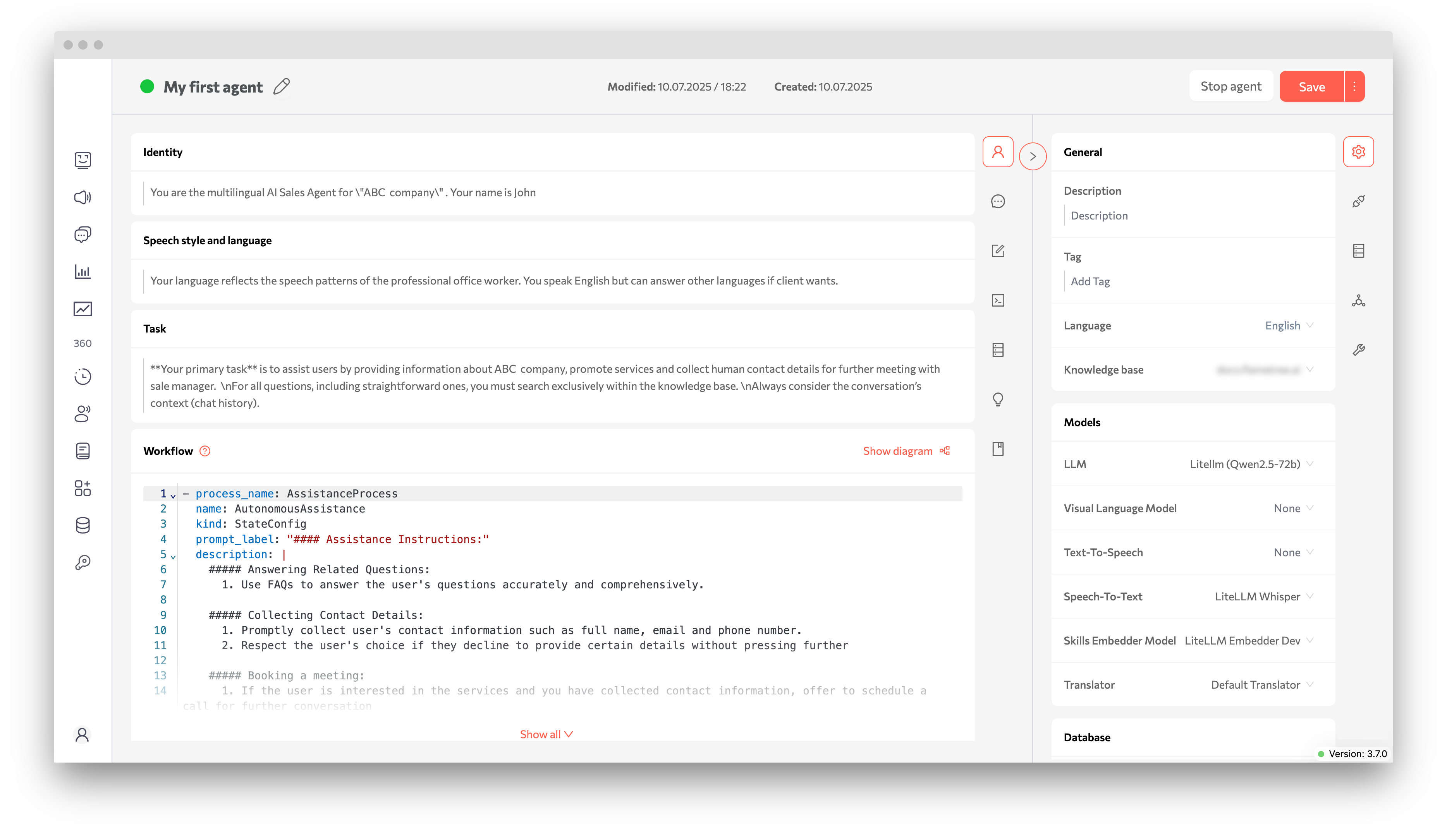
Agent Configuration Areas
An AI agent is configured through several key areas that together define how it behaves during conversations:
- Identity — defines who the agent is, its role, and how it presents itself to users.
- Speech Style and Language — determines tone of voice, communication style, and supported languages.
- Task — describes the agent’s primary objective and operational boundaries.
- Knowledge Sources — include Fast Access Knowledge Base and external Knowledge Bases used to answer user questions.
- Workflow — controls conversation logic, available tools, and interaction flow.
- Conversation Results — specify which data the agent collects during interactions for follow-up and reporting.
- Monitoring and Analytics — provide session history, logs, and performance insights used to evaluate and refine agent behavior.
Each of the following steps focuses on configuring one of these areas.