Quick Start
Get started with Flametree — from signing up to launching your first AI agent.
Before You Start
To begin, open the Flametree Portal and create an account. You can register using your email and password or sign in with a Google account. During registration, you’ll choose a data storage region, and Flametree will automatically create your first workspace — called a tenant.
💡 Tip: Your first account automatically grants you Tenant Admin privileges, so you can manage users, agents, and integrations right away.
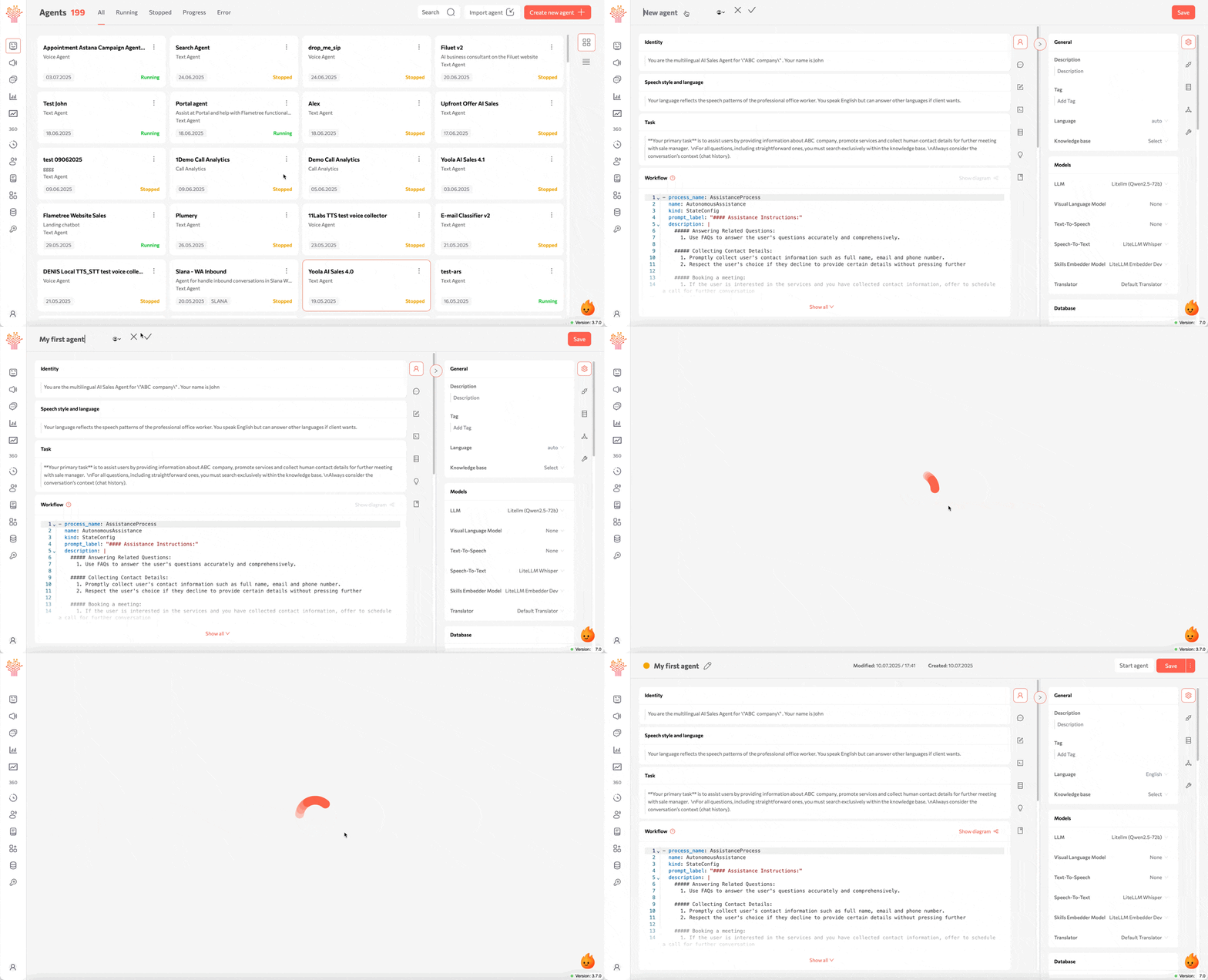
Step 1: Create Your First Agent
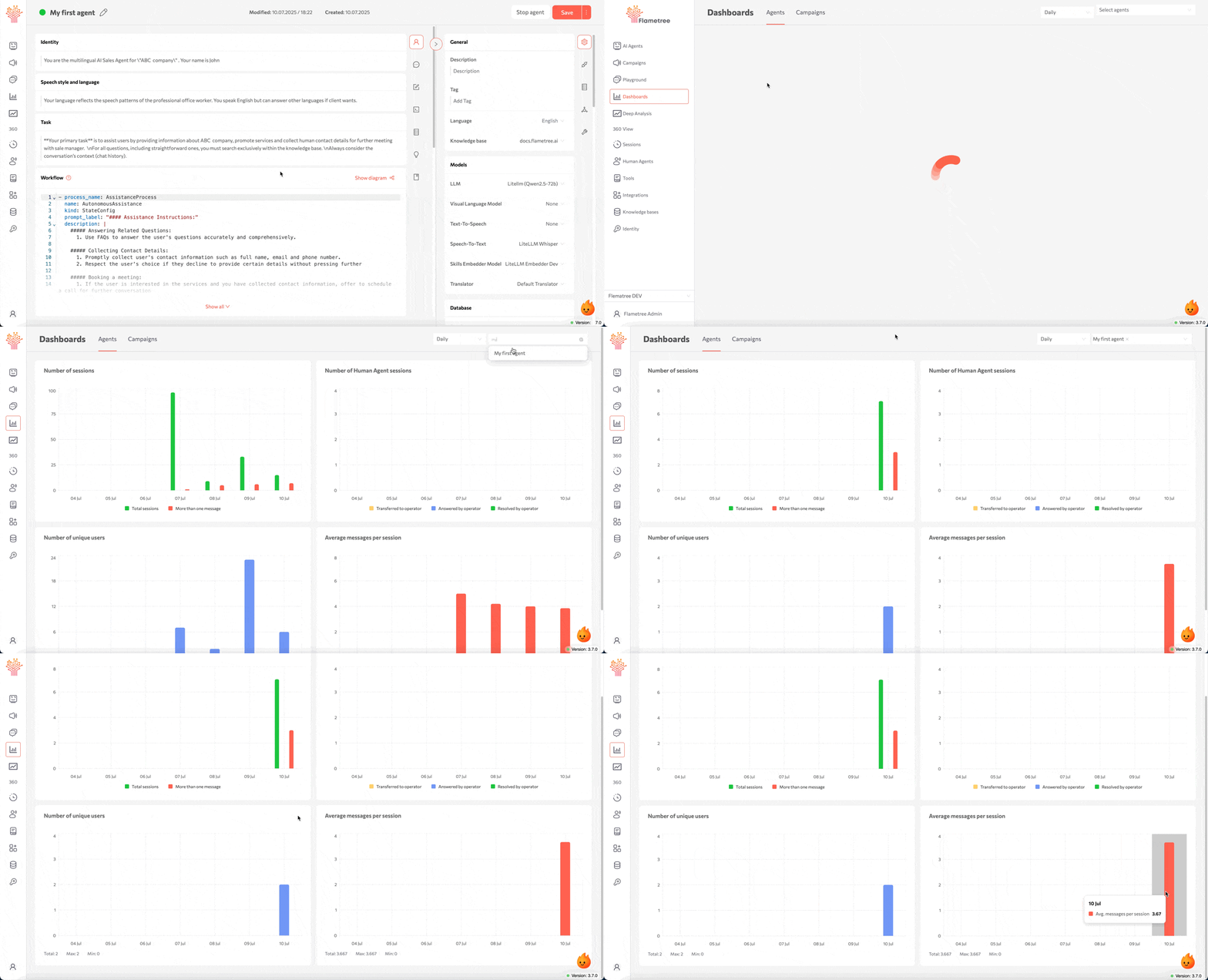
Build your first AI agent in minutes. Set its name, purpose, and communication style — all through an intuitive visual interface.
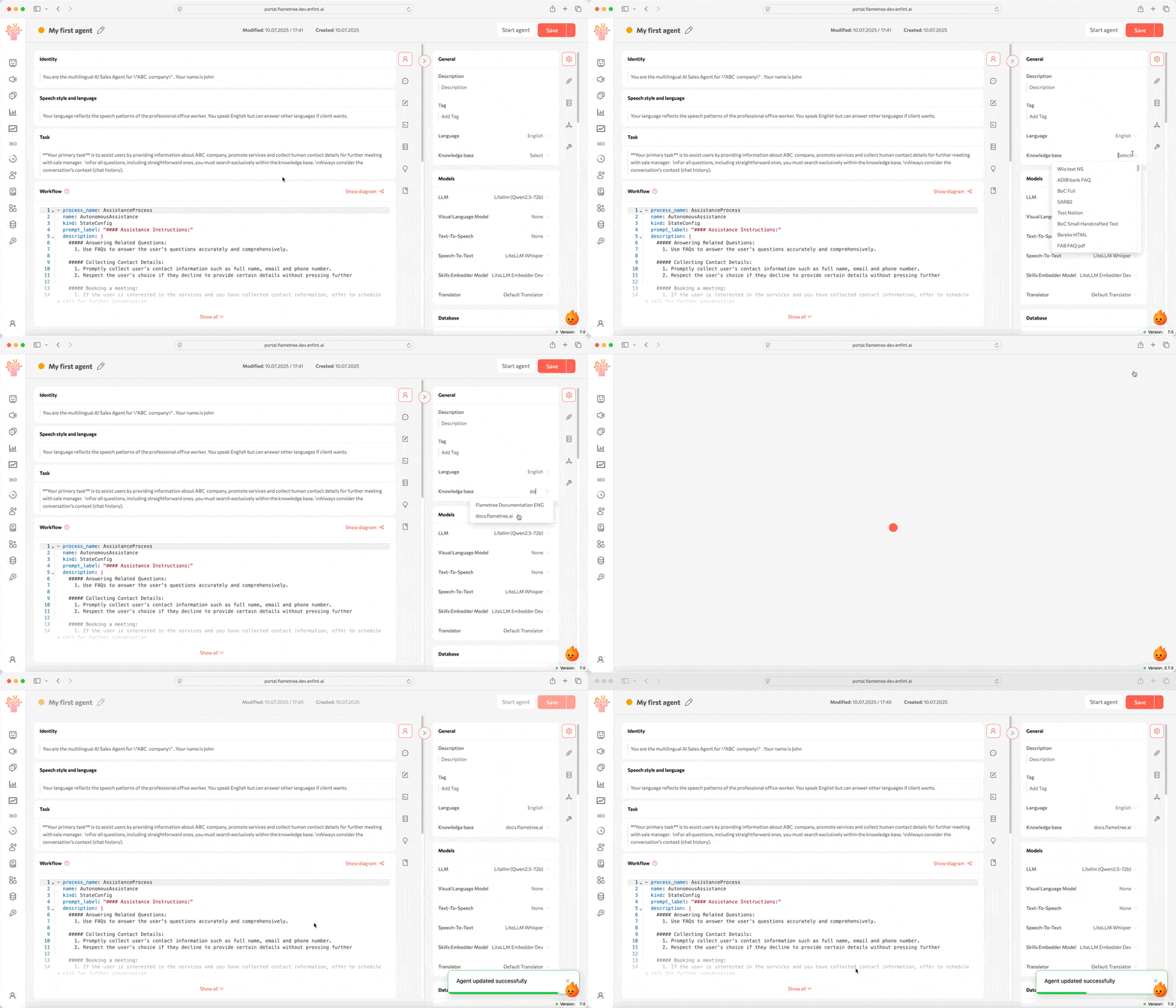
Step 2: Add Knowledge
Connect your agent to company data so it can respond intelligently. You can add knowledge bases, upload documents, or integrate with internal systems.
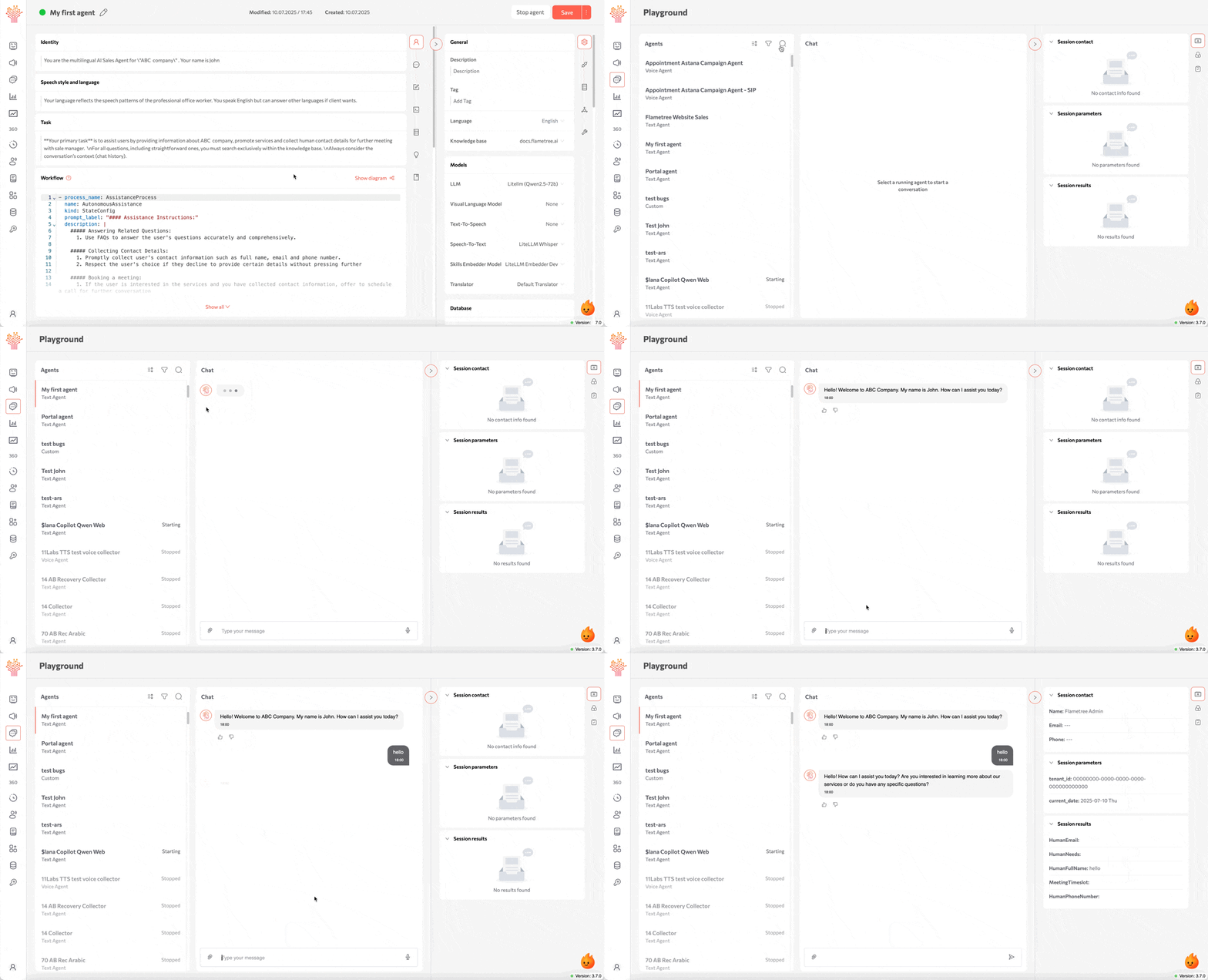
Step 3: Test and Refine
Use the Playground to test conversations before going live. Adjust tone, behavior, and responses until your agent performs as expected.
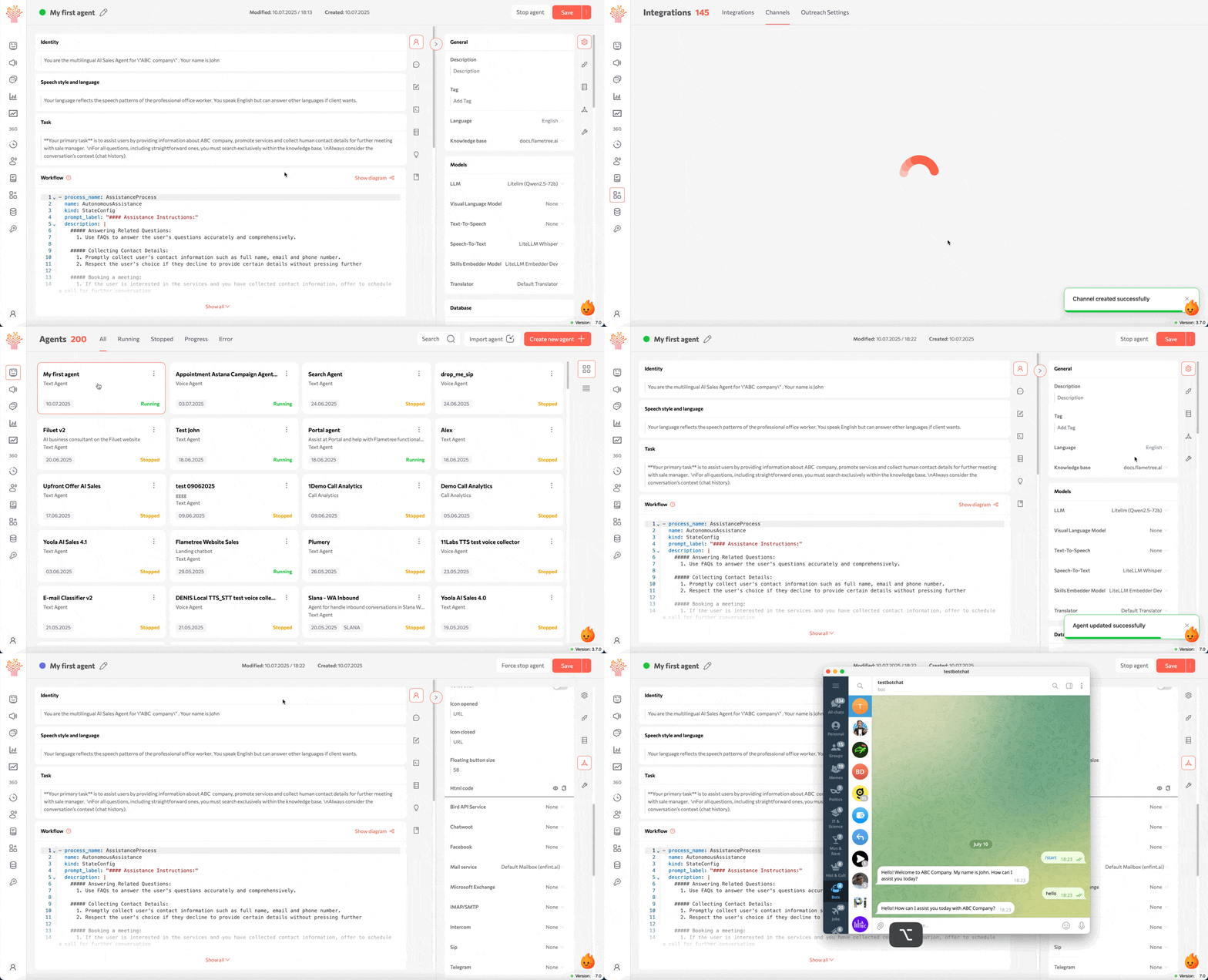
Step 4: Connect Channels
Make your agent available where your customers are — connect Telegram, WhatsApp, email, phone, or web widgets.
Step 5: Monitor and Optimize
Once your agent is live, monitor its performance in real time. Review conversations, measure success, and fine-tune your workflows for better results.
Next Steps
You're ready to explore Flametree in depth:
- AI Agent Tutorial — Full walkthrough from setup to launch