Billing & Subscription Management
This article explains how to manage your subscription plans, add payment methods, and understand how the Flametree platform counts and bills sessions.
Understand sessions
Before you manage your subscription, it's important to understand the difference between a standard conversational session and a billable session.
Sessions
A session is a single conversational interaction between a customer and an AI agent.
- A session starts when the customer or the AI agent initiates a conversation.
- It ends when the customer’s request is resolved, the customer leaves the chat, or after a period of inactivity.
Billable sessions
A billable session is the unit used to calculate usage under your plan. Each billable session covers a 24-hour window. If a conversation continues beyond 24 hours, it remains 1 session in the interface but counts as multiple billable sessions against your plan's allowance.
Example: A customer interacts with the AI agent over a period of 36 hours.
- Interface view: 1 session
- Billing view: 2 billable sessions
Manage your subscription
You perform all billing actions securely through the Flametree billing portal. You can access these settings directly from your profile.
Set a monthly session limit
To provide better control over your billing process and prevent unexpected charges, you can set a personal monthly limit for billable sessions. This limit applies tenant-wide to all your AI agents.
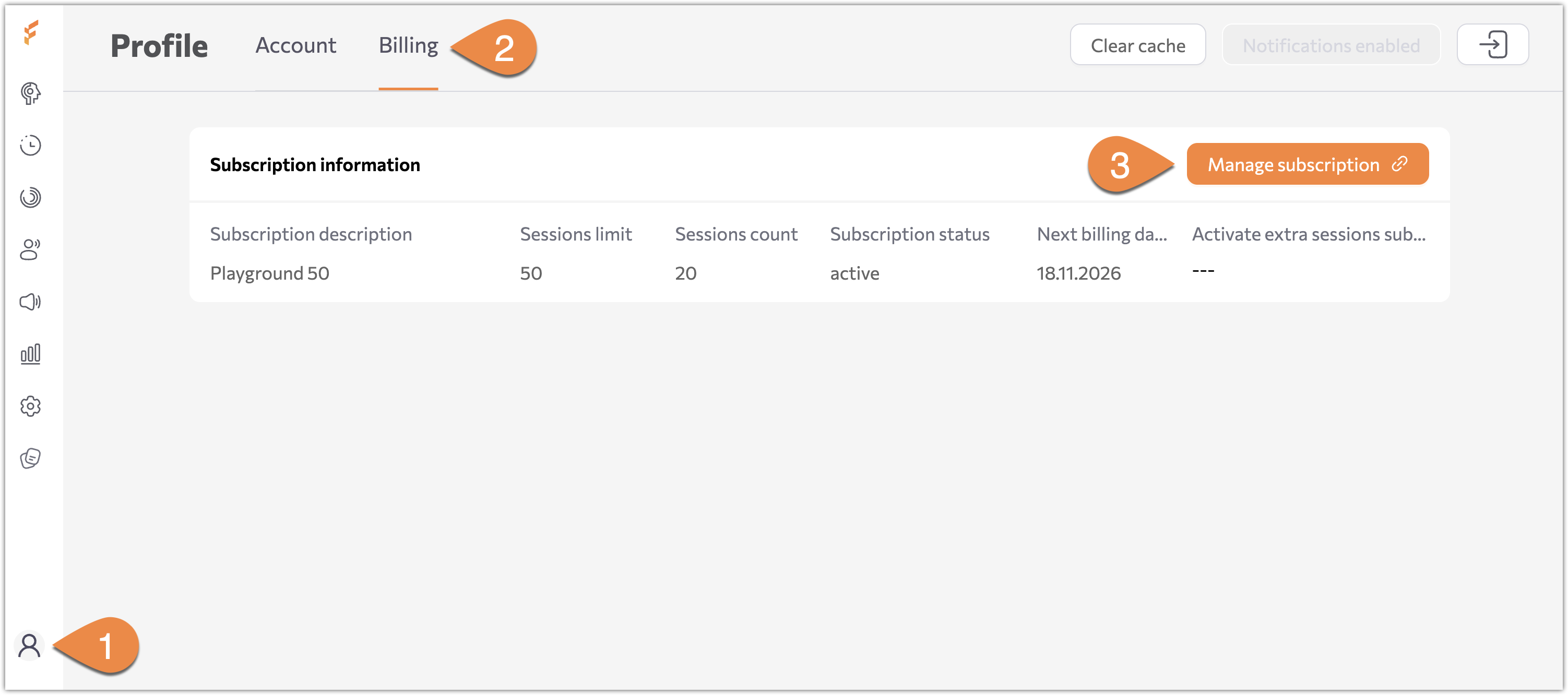
- Select Profile (the user icon) in the bottom-left menu.
- Select the Billing tab.
- In the Platform subscription section, locate the Session limit field. By default, this is set to your tariff plan's base limit.
- Enter your desired maximum number of sessions for the current billing cycle (the value must be greater than zero).
- Click Set limit to apply your changes.
💡 Note: This sets the maximum number of sessions allowed for the current billing cycle. Once your session count reaches this limit, all AI agents will automatically stop, and no new sessions will be executed. To resume agent activity, you must either manually increase the session limit or wait for the counter to reset to 0 at the start of your next billing period.
Add a payment method
To add a payment method for subscriptions or to cover extra session usage:
- Select Profile (the user icon) in the bottom-left menu.
- Select the Billing tab.
- Select Manage subscription. The secure billing page opens.
- In the Payment Method section, click + Add payment method.
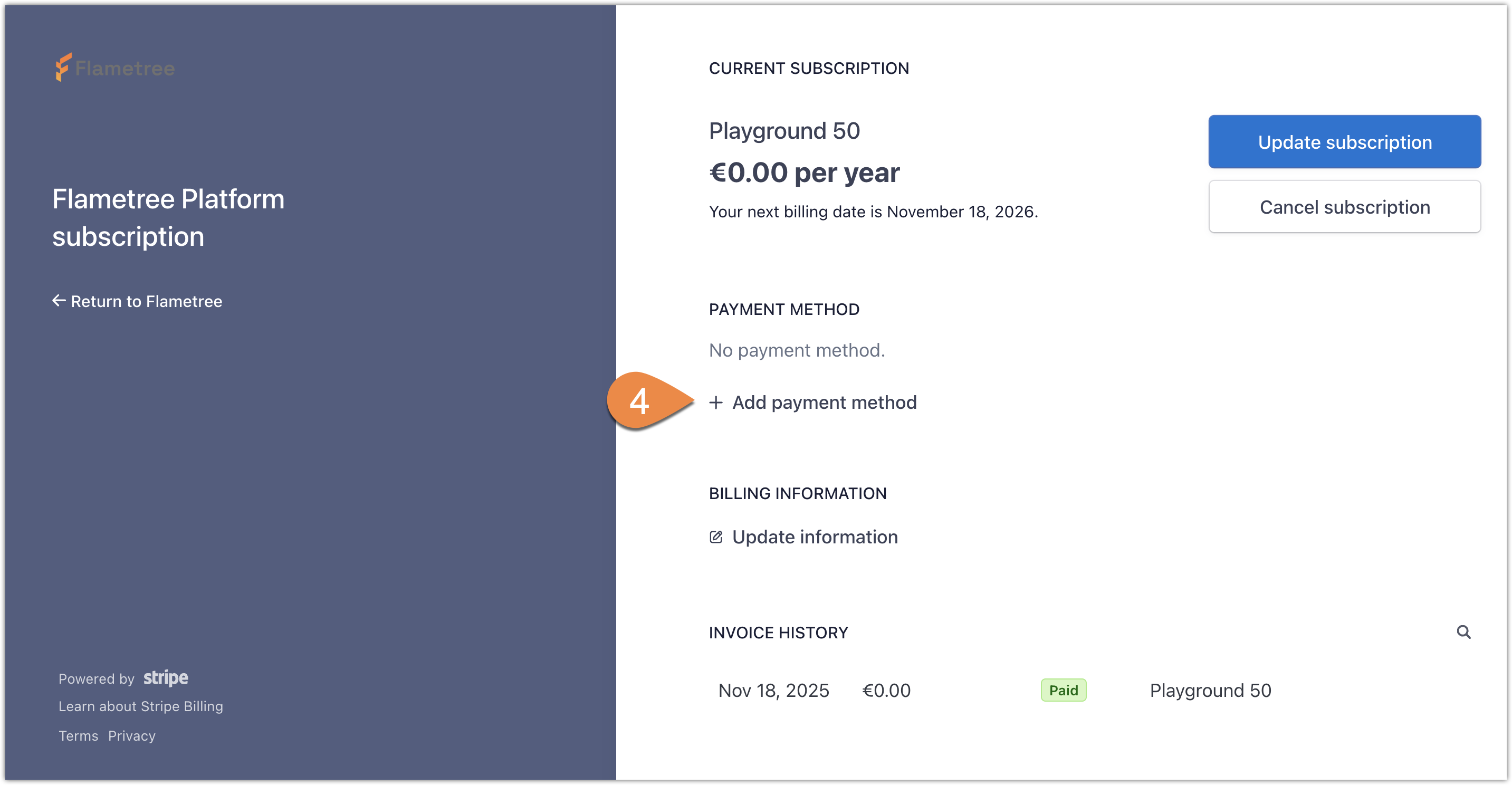
- Enter your card information and click Add.
Change your plan
To upgrade your tier (for example, from Starter to SME) or modify your current plan:
- Go to Profile > Billing.
- Select Manage subscription.
- Select Update subscription.
- Choose the desired plan (for example, Starter or SME) and confirm.
When you upgrade plans, the system recalculates your session limits immediately so you can continue using agents without interruption.
Cancel your subscription
If you need to downgrade to the Playground tier or cancel your paid subscription:
- Go to Profile > Billing.
- Select Manage subscription.
- Select Cancel subscription.
- Confirm the cancellation.
Your paid features and session limits usually remain active until the end of the current billing cycle.