Step 10: Monitoring & Analytics
(See Sessions & Logs for more details)
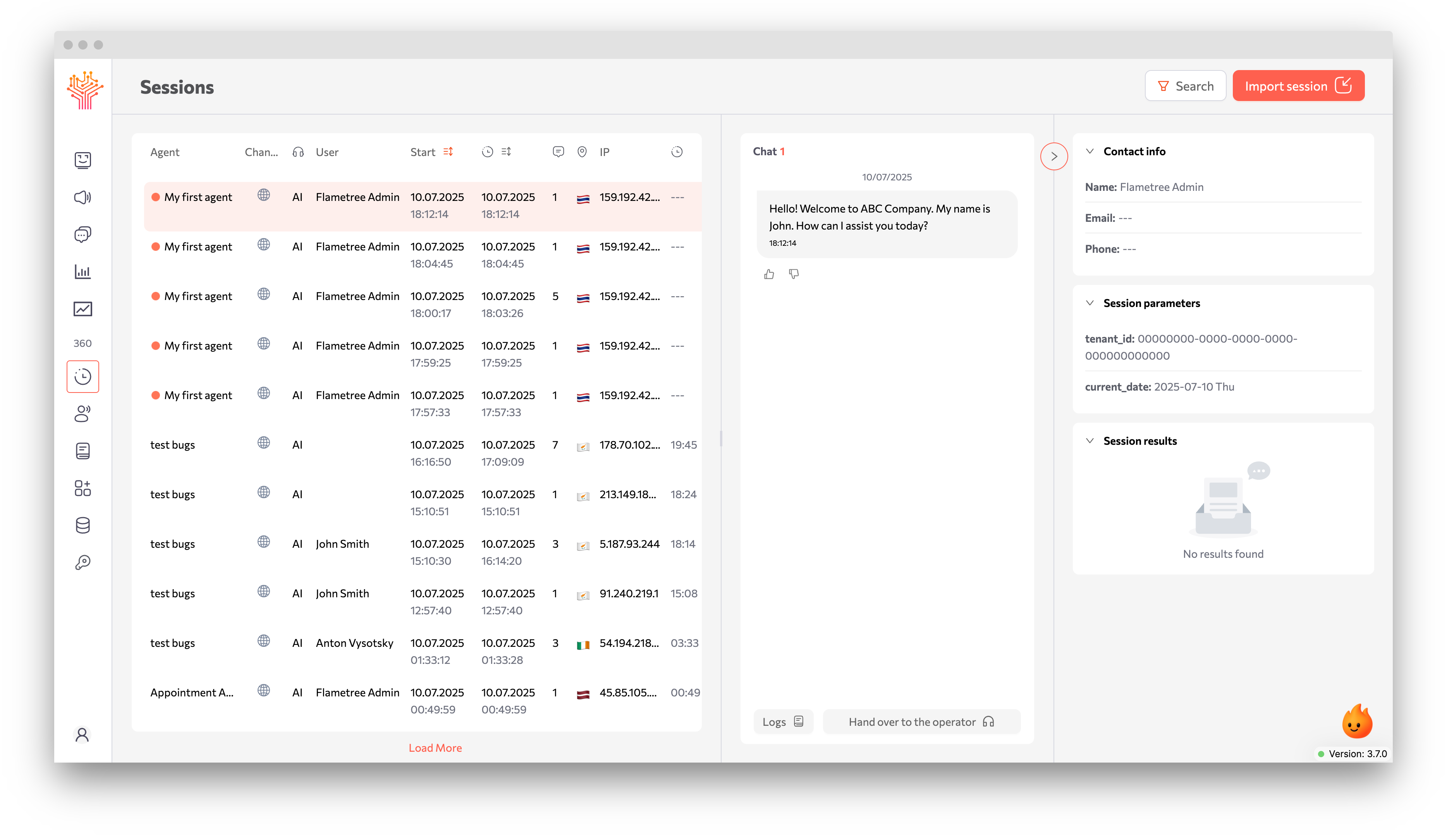
After launch, you can monitor the AI agent’s performance in real-time:
-
Go to the Sessions section
Here you’ll see a list of all active and completed user sessions.
-
Click on the session you want
Inside, you’ll be able to:
- View the entire dialogue
- See which parameters were collected (
Conversation Result) - Track state transitions (for complex workflows)
-
Go to Logs to:
- View the AI agent’s actions step by step
- See which tools were triggered
- Identify errors (if any)
Next Steps
Once your agent is working correctly:
- Workflow Configuration: Connect to CRM, email systems, or other business tools
- Campaigns Initialization: Use outbound communications to send messages from agent to the client