Set the agent's instructions
Part of the classic, legacy agent editor. Agents created today use Configure an agent instead — see Simple mode for details.
The Instructions tab defines how your agent behaves: its role, communication style, and primary tasks. Changes here affect all active channels.
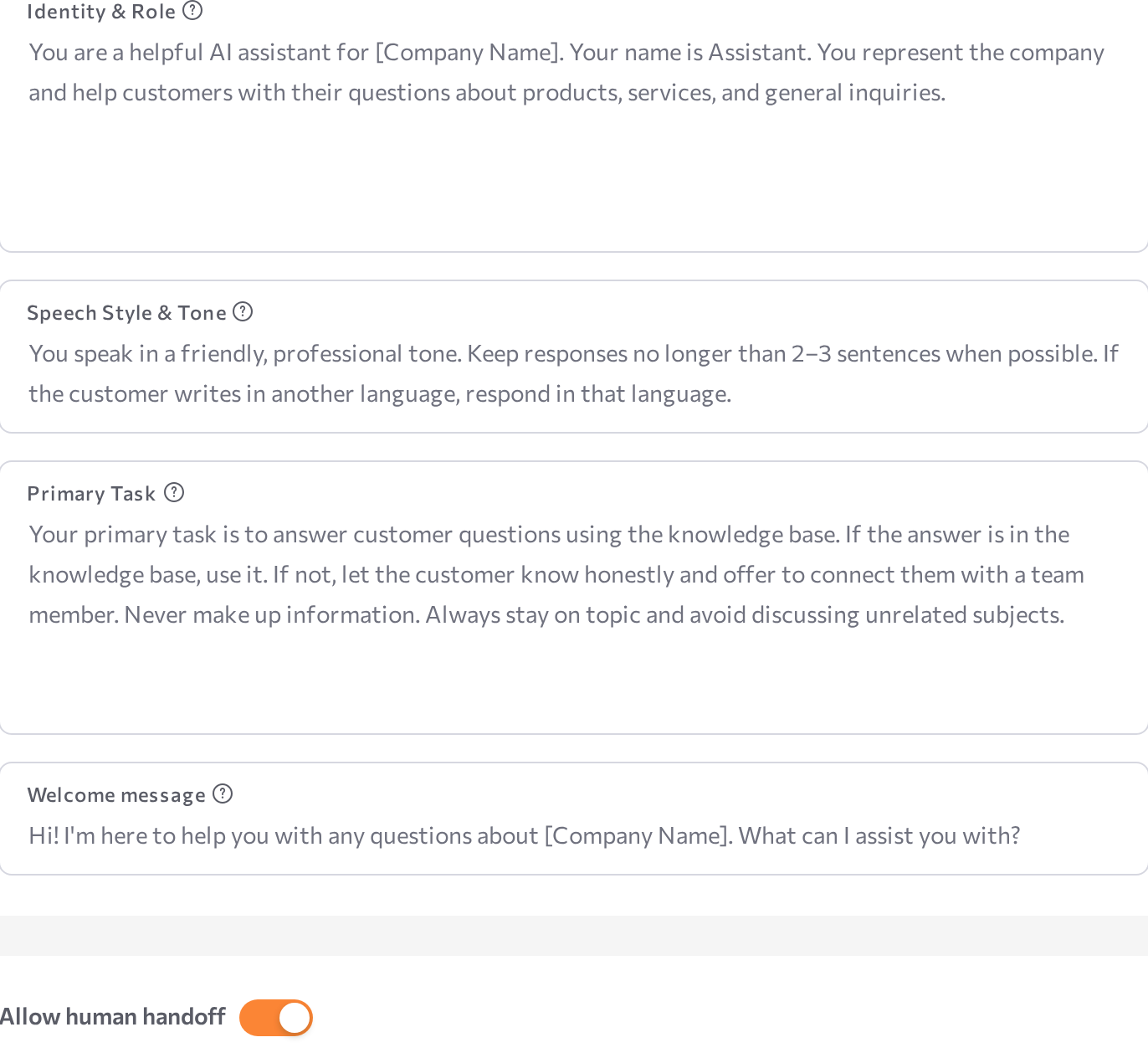
Hover over the ? icon next to each field for a short description of what to write there.
Identity & Role (required)
Define who the agent is — its name, the organization it represents, and its professional role. This shapes how the agent introduces itself. Keep it to identity only: tone and tasks have their own fields.
You are Ted, a helpful AI assistant for EventHub. EventHub organizes online events such as webinars, workshops, and educational sessions.
You help people learn about upcoming events and register for them.
Speech Style & Tone (required)
Set the agent's tone, formality, response length, and language behavior. Cover: tone (formal, friendly, expert, neutral), allowances (slang, emojis), supported languages, and what to do if the customer switches languages.
Use a friendly and professional tone. Always introduce yourself.
Keep responses short — 1–2 sentences when possible.
Always reply in the same language as the customer.
Explicitly state which languages the agent should use. If you don't, it may default to English.
Primary Task (required)
Describe what the agent should do in conversations — its goals, boundaries, and how to handle questions outside its scope. A good task definition includes the main outcome, the business context, constraints, and what counts as success. Don't write a step-by-step conversation script here.
Your main task is to help customers register for events.
Guide them through the registration process, ask for the required details, and confirm their registration.
If a question is outside event registration, politely redirect the conversation back to the event.
In addition to name and email, also ask for the phone, and preferred date of the event.
Welcome message (optional)
The first message the customer sees when a conversation starts. Keep it short and inviting.
Hello! I can help you register for our upcoming events.
Would you like to see what events are available?
Allow human handoff
Turn on Allow human handoff to let the agent pass a conversation to a human agent.
- Switch Allow human handoff on.
- In Handoff Conditions, describe when the agent should stop and pass the conversation to a human. You can combine multiple triggers — for example: "Transfer to a human agent when the customer asks for one, or when the customer is upset."
- Click Save.
When the conditions are met during a conversation, the session is routed to the Human Agents workspace.
Human handoff is unavailable if the agent's workflow was modified in Advanced mode. To enable the toggle again, the workflow must contain a default process with a default state set as the initial state.
Related pages
- Simple mode overview
- Connect knowledge
- Human Agents — the workspace that receives handoffs